Starfall
- 3.9
- Rating
- 5.00M
- Installs
- Free
- Price
 Analysis by App-foxy
When I think about early learning on a phone or tablet, the most useful question is not whether an app contains many activities. It is whether a child can open it, understand what to do, and stay engaged long enough to practise a real skill. That is where Starfall makes its strongest impression. Developed by Starfall Education Foundation, this free education app brings reading, language, numbers, and other early-learning activities into one child-friendly space rather than asking families to assemble several separate tools.
I found its central strength in the way it turns short practice moments into something a young learner can approach independently. The activities are designed for children, not for adults who must constantly translate instructions. That does not make it a complete replacement for teaching, but it can be a useful bridge between guided lessons and casual practice at home. The app is rated for Everyone, and its broad audience makes sense: a parent, teacher, or caregiver can introduce it without needing a complicated setup or specialist knowledge.
Why the activity-based approach matters
I use this section to look beyond the activity count and consider how a child moves between different kinds of early practice. That variety can make a short session easier to adapt to a child’s attention and mood, but it also puts some choice in the adult’s hands. A simple plan for what to explore can make the next part of the experience more purposeful.
You May Also Like

 Blood Strike: 2.5 Anniversary
Blood Strike’s Loadouts Turn Every Drop Into a Tactical Gamble
A close look at Blood Strike’s custom loadouts: how fast access to signature weapons reshapes its battle royale rhythm, rewards preparation, and narrows the gap between fights.

 Pandora - Music & Podcasts
Pandora’s Music Is Easy to Start, but Harder to Recover
Pandora’s strength is its low-effort path from a seed to a station. Its weak spot is how much confidence it asks you to place in connection, setup, and quiet recovery.

 8 Ball Pool
 Is Built on Rivalries, Rematches, and Routine
A close look at the rivalries, rematches, shared routines, and unanswered safety questions that turn a quick pool match into a persistent mobile community.

 Samsung Music
’s Quiet Strength Is Playing What You Already Own
Its reach comes less from spectacle than from dependable access to a personal library. That simplicity is both the app’s strongest retention engine and its ceiling.

 AccuWeather: Weather Radar
AccuWeather Review: A Quick, Clear Forecast for Everyday Decisions
For everyday plans, the best forecast is the one you can understand quickly. AccuWeather makes rain timing, radar, and local conditions easy to act on, with a few trade-offs.

 Hill Climb Racing
Why Hill Climb Racing Still Turns Crashes Into One More Run
A tiny car, a bumpy hill and one more upgrade: Hill Climb Racing keeps resurfacing because its simple chaos makes every near-miss feel personal.
More From Our News Desk



One place for several early-learning needs
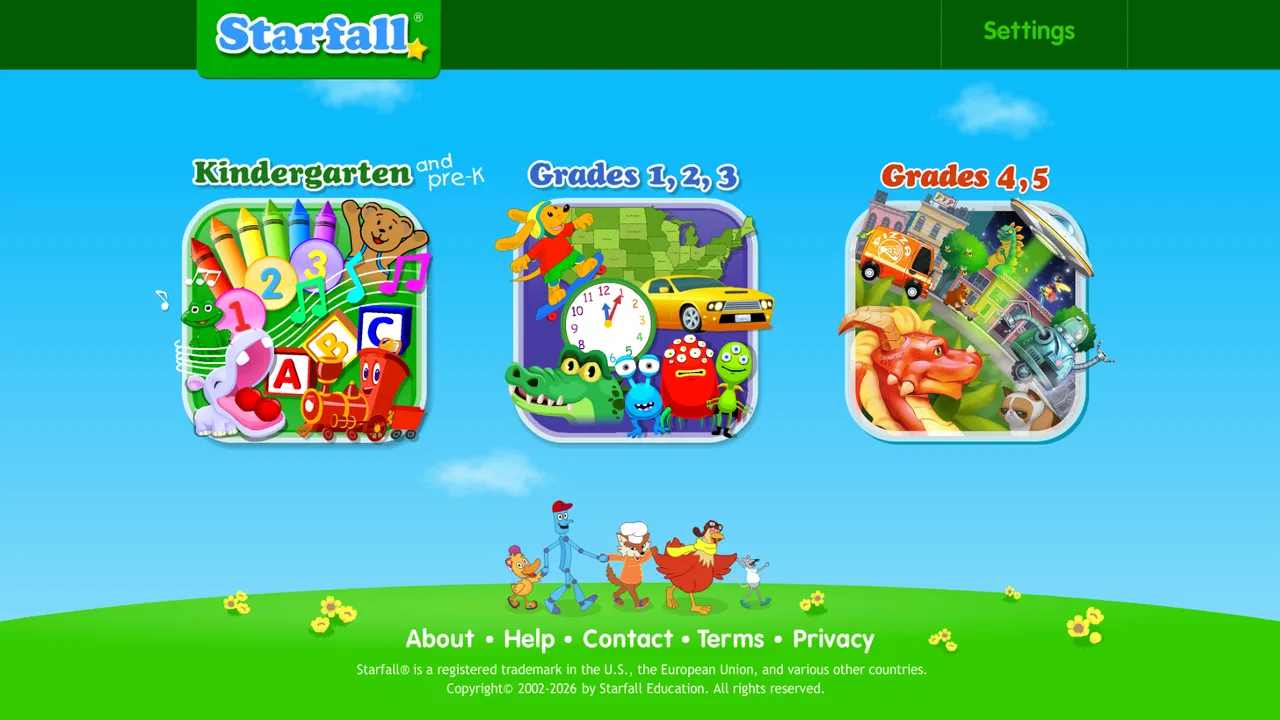
Starfall is best understood as an activity library rather than a single lesson course. The app offers numerous activities, so a child can move between different kinds of practice instead of repeating one narrow exercise. That variety matters with young learners because attention can disappear quickly when an activity feels too difficult, too slow, or simply no longer interesting.
In practical terms, I would use it as a flexible learning station. A child might spend a few minutes with a reading activity, switch to a number-focused task, and then finish with something more playful. The value is not just having more material; it is being able to match the activity to the child’s mood and current ability. If a learner is tired, a short familiar task can maintain momentum. If the child is eager, a different activity can extend the session without making it feel like extra homework.
This approach also helps families avoid a common problem with educational apps: choosing a product that is excellent at one isolated skill but awkward for everything around it. Starfall’s appeal is its broader early-learning setting. I would not describe it as a deep specialist tool for one advanced subject. Instead, it works as a general companion for children who are building foundational skills and need regular, low-pressure exposure.
Independent use is the real capability
The most important capability here is not simply the number of activities. It is the possibility of short, self-directed practice. A child can explore an activity while an adult remains nearby without having to explain every screen. That can make a difference in a busy household, especially when a parent needs to prepare dinner, help another child, or take a brief break from direct instruction.
There is a useful distinction between independent exploration and unsupervised learning. I would let a child navigate familiar activities alone, but I would still check in regularly. Young children can tap through screens successfully without understanding the underlying idea, and an app cannot always tell whether a correct response came from genuine learning or repeated guessing. The best results come when an adult occasionally asks the child to explain what they just did.
That small habit turns screen time into a conversation. After a reading activity, I might ask the child to identify a sound away from the device. After a number exercise, I might use household objects to see whether the same idea transfers to the real world. Starfall is more valuable when it starts that kind of follow-up rather than becoming a sealed-off digital routine.
What the subscription decision changes
The app itself is free, which makes it easy to try before making a commitment. However, the store summary explains that becoming a subscriber provides access to all content, and in-app purchases are listed at $5.99 per item. That means families should treat the free download as an opportunity to evaluate the experience, not automatically assume that every activity will be available without payment.
I recommend testing the free portion with the child who will actually use it. Watch whether the navigation feels clear, whether the activity level is appropriate, and whether the child returns willingly. If the available material already fits your needs, there is no reason to pay simply because the app has more content. If the child responds well and you want a wider range of activities, the paid access may be easier to justify than buying several unrelated learning apps.
The trade-off is that the subscription decision is not only about quantity. More content can be helpful, but it can also make it harder to choose a focused routine. I would rather select a small group of suitable activities and use them consistently than open everything at once and let the child jump randomly from screen to screen.
How I would use it during an ordinary day
Imagine a child coming home from school with ten quiet minutes before dinner. I would not present Starfall as a formal lesson at that point. I would invite the child to choose one activity connected to a skill already being practised, then stop while the experience still feels manageable. The goal would be a calm repetition, not a long session measured by screen time.
For a child who is beginning to recognise letters or sounds, I might use the app as a warm-up before reading a physical book. The digital activity can help focus attention, while the book shows why the skill matters beyond the screen. For an early number learner, I might follow the app with counting socks, pieces of fruit, or toy blocks. These transitions are important because they reveal whether the child is learning a concept or only learning how to respond to a particular interface.
Another useful routine is letting the child choose between two activities rather than handing over unlimited access. This preserves a sense of control while keeping the session purposeful. It also gives me a chance to notice patterns: perhaps the child chooses reading repeatedly but avoids numbers, or enjoys recognition tasks but becomes frustrated when an activity requires more patience. Those observations are often more useful than simply knowing how long the app was open.
Where it fits beside familiar alternatives
Compared with a single-purpose phonics app, Starfall is less narrowly focused. A specialist app may be the better choice when a child needs concentrated practice in one area, particularly if an educator has identified a specific gap. Starfall makes more sense when the family wants a broader early-learning environment and does not want to switch between several products.
Compared with videos, the activity format gives the child more chances to respond instead of only watching. That does not automatically make every session more educational, but it creates a better opportunity for active practice. Compared with paper worksheets, the app can feel more inviting and easier to use independently, although worksheets remain valuable for handwriting, drawing, and activities away from a screen.
It also differs from a live tutor or parent-led lesson in an important way: it cannot notice hesitation, change its explanation in a personal conversation, or understand why a child made a mistake. I would use Starfall to support instruction, not to replace the human attention that helps a child build confidence and correct misunderstandings.
Small habits that improve the experience
My first practical tip is to create a stopping point before opening the app. Decide whether the child will complete one activity, practise for a brief period, or explore a limited selection. Without that boundary, variety can become distraction, especially for children who enjoy tapping through new screens more than repeating a skill.
My second tip is to revisit activities that seemed easy. Children often want to move on as soon as they succeed, but repeating a familiar task can build fluency. I would alternate a comfortable activity with a slightly more demanding one, then end with something the child can complete confidently. That pattern reduces the chance that the final memory of the session is frustration.
My third tip is to listen for what the child says while using it. If the child repeats sounds aloud, names objects, or explains an answer, the app is becoming a prompt for language rather than a silent tapping exercise. If the child remains quiet and rushes through every screen, I would slow the pace and sit beside them for a while. The same activity can be productive or passive depending on how it is used.
A fourth useful habit is to connect the app to a visible goal. For example, after a reading activity, the child could look for a familiar letter in a book or on a food package. After a number task, the child could count real objects. These simple extensions help prevent the common weakness of digital learning: performing well inside the app but failing to recognise the same idea elsewhere.
The limitations families should understand
The broad activity library is also one of the app’s limitations. A child who needs a carefully sequenced programme may find the experience too open-ended. Parents may need to decide which activities are appropriate instead of expecting the app to create a perfect progression automatically. I see that as manageable for involved adults, but it can feel like extra work for families looking for a fully structured course.
There is also a risk of confusing familiarity with mastery. If a child remembers where to tap, the result may look successful even when the concept is not secure. Occasional offline checks are essential. Ask the child to demonstrate the skill without the device, and pay attention to whether they can explain their thinking rather than only produce a correct response.
The free price lowers the barrier to entry, but the paid content can make the overall value harder to judge in advance. I would not decide based on the promise of having more activities alone. The right question is whether the additional access supports a consistent routine for this particular child. A large library is not useful if the child rarely opens it or if the available level does not match their needs.
Families should also be realistic about screen balance. Starfall can provide meaningful practice, but young children still benefit from conversation, physical play, books, drawing, and hands-on counting. If a child becomes irritable after using the app or asks for it constantly, I would reduce access rather than treating educational content as automatically harmless. Learning value does not remove the need for sensible boundaries.
Who is most likely to benefit
I think Starfall is a strong fit for parents and caregivers supporting early learners who enjoy interactive practice but need variety. It is particularly useful when an adult wants a ready-made activity to fill a short gap in the day, reinforce a skill introduced elsewhere, or give a child a little independence without handing over a general entertainment app.
It can also suit families with more than one young learner, provided each child is guided toward activities that match their level. The same shared app can support different routines, but I would avoid assuming that siblings should use it in exactly the same way. One child may benefit from repetition while another needs a challenge or more adult explanation.
Teachers and tutors may find it useful as a supplementary station, especially when the aim is to give children a change of pace. I would still pair it with direct teaching and observation. The app can occupy a productive part of a learning rotation, but it should not be the only evidence used to judge progress.
I would skip it if you want an advanced curriculum, detailed progress analysis, or a fully personalised teaching system. I would also look elsewhere if your child strongly dislikes tablet-based learning or needs intensive one-to-one support. In those cases, physical materials, a specialist programme, or a teacher who can adapt in real time may produce better results.
Device details and overall value
Starfall has been available since September 2013, and its current version is 3.3.54. It supports Android 7.0 and later, which makes it accessible on many older compatible devices. The app has passed five million installs, with an average rating of 4.0 from around twenty-seven thousand ratings and roughly six thousand one hundred reviews. Those figures suggest a substantial user base, while the rating also reminds me that it will not suit every family equally well.
Because it is free to install and intended for Everyone, trying it is relatively straightforward. The developer, Starfall Education Foundation, has built an experience that is more useful as a recurring learning companion than as a one-time novelty. I would begin with a short, supervised trial, identify the activities that hold the child’s attention for the right reasons, and then decide whether the wider paid access is worthwhile.
My final view is positive but measured. Starfall’s real advantage is the way its varied activities can support independent, repeatable practice in small portions of the day. Its real weakness is that adults still need to choose suitable activities, set boundaries, and connect digital exercises to life away from the screen. Used that way, it can earn a place beside books, conversation, and hands-on play. Used as a substitute for all three, it becomes much less convincing.
My recommendation: try the free experience with a specific routine in mind, stay nearby at first, and judge success by what the child can do beyond the app. If that transfer happens, Starfall is a practical and approachable addition to an early-learning toolkit.
FAQs for Starfall
01What is Starfall, and what features does it offer?
Starfall is an educational app designed to facilitate learning through interactive activities and games. It offers a range of features, including phonics, math, and reading exercises, aimed at young learners. The app is structured to enhance engagement through colorful visuals and engaging sound effects, making it a popular choice for parents and educators.
02Is Starfall suitable for all age groups?
Starfall is primarily designed for young children, typically from preschool to early elementary levels. Its content is tailored to support foundational learning, focusing on basic skills like reading and math. While older children might find some content useful, it is best suited for ages 3 to 8 years.
03Does Starfall require an internet connection to function?
Starfall offers both online and offline functionalities. While many activities are accessible offline, some features and updates may require an internet connection. This hybrid approach allows for flexibility in usage, enabling parents and educators to choose how and when to utilize the app's resources based on their connectivity.
04Are there in-app purchases or subscriptions available in Starfall?
Starfall offers a mixture of free and paid content. While the app provides access to several free activities, a subscription unlocks the full suite of educational games and exercises. The subscription model is designed to enhance the learning experience with additional content and features.
05What devices are compatible with Starfall?
Starfall is compatible with a wide range of devices, including Android and iOS smartphones and tablets. The app is optimized for both platforms, ensuring a smooth user experience. It is advisable to check the specific device requirements on the app store to ensure compatibility before downloading.
Pros
- User-friendly interface for all ages.
- Engaging educational content.
- Regular updates with new content.
- Supports offline use after download.
- No ads for uninterrupted learning.
Cons
- Limited free content without subscription.
- Requires internet for initial content download.
- Some features feel repetitive.
- Interface may seem simplistic for older kids.
- Subscription can be pricey for some families.

Starfall
Gallery